
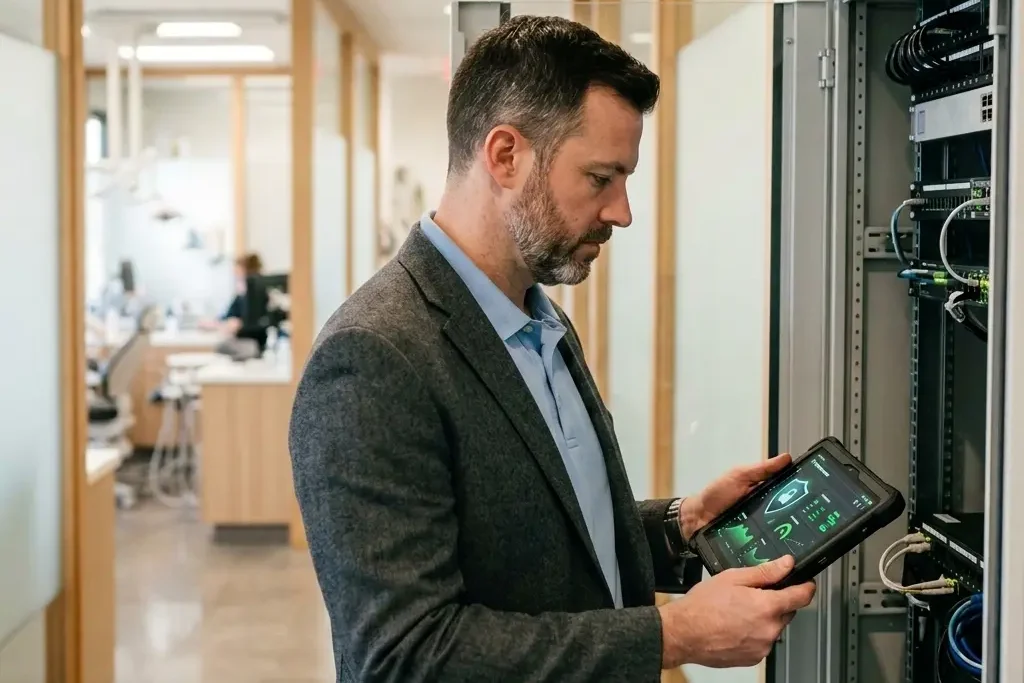
Not All IT Support Is Built for Healthcare
We hear this almost every time we walk into a practice. And it makes sense — you’ve already got someone. Maybe it’s a local MSP, maybe it’s a solo guy who’s been coming by for years, maybe it’s an in-house IT person who’s been with you for a while. Whoever it is, you trust them, and switching feels like unnecessary work.
Here’s the thing: we’re not asking you to switch. We’re asking you to look closer at what “having an IT guy” actually means for a medical or dental practice — because in healthcare, general IT support isn’t the same as HIPAA-compliant IT support, and the gap between the two is where practices get hurt or even incur fines.
Most of the IT providers we come across serving medical practices are generalists. They’re the same folks who service a law firm, a real estate office, and a restaurant down the street. Nothing wrong with that — until you realize your practice handles protected health information, and a generalist setup usually isn’t built with that in mind.
A few things we see constantly when we get a look under the hood:
Consumer-grade antivirus instead of enterprise-grade endpoint protection. Software like Bitdefender or McAfee is fine for a home laptop. It is not built to detect and respond to the kind of targeted attacks that go after medical records — attackers know PHI is worth far more on the black market than a credit card number, and they target healthcare accordingly. Enterprise EDR (endpoint detection and response) actively hunts for and isolates threats in real time. Consumer antivirus just checks files against a known list. This is the kind of gap we close as part of our cybersecurity services.
No email phishing protection or simulated phishing training. Email is still the number one way practices get breached. If your current setup doesn’t include advanced email threat protection and regular simulated phishing tests for your staff, you’re relying entirely on your team’s ability to spot a fake email — every single time, forever. That’s a bet most practices don’t realize they’re making.
HIPAA Security Rule training with no ongoing reinforcement. Some IT guys check the compliance box with a once-a-year training video. That’s a start, but it’s not the same as continuous awareness training that keeps staff sharp between renewals — and honestly, if you’re already paying separately for compliance training somewhere else, that’s often a cost you can fold into one bundle instead of paying twice. Our HIPAA compliance services cover this as a standard part of the package, not an add-on.
None of this means your current IT person is bad at their job. It usually just means healthcare wasn’t the world they built their technology stack around.
What Happens When Your IT Guy Goes on Vacation?
This is the one nobody thinks about until it happens. If your practice runs on one person, what’s your plan when he takes his two-week trip in July? What happens if he’s sick? What happens if he simply doesn’t answer his phone on a Saturday when your practice management software goes down and you have a full schedule Monday morning?
We’re a team, not a single point of failure. There’s always someone available. No practice should have its entire IT support hinge on one person’s calendar. It’s also why backup and disaster recovery can’t wait on one person to be reachable — recovery windows don’t pause for anyone’s vacation.
Co-Managed IT: How It Actually Works
This is where it gets interesting for practices that are growing. If you already have an in-house IT person or IT director, the conversation usually isn’t “replace them” — it’s “what happens as this practice outgrows what one person can handle?” That’s exactly where co-managed IT comes in, and it’s a model we’ve run before, not something we’re guessing at.
Prior to founding Concierge IT, we ran this exact relationship with an organization running a couple hundred users. They had their own IT director. We didn’t compete with that role — we supported it. Our team handled the volume: helpdesk tickets, server and network monitoring, day-to-day troubleshooting. Their IT director stayed focused on what only someone inside the organization can really own — strategy, budget, vendor decisions, and the higher-level meetings where IT direction actually gets set. It worked because the division of labor made sense for everyone. Their IT director wasn’t burning hours on password resets. We weren’t making calls about five-year infrastructure roadmaps that belonged inside their organization.
What we handle: Helpdesk support for staff, server and network monitoring around the clock, patch management, endpoint security, and the healthcare-specific layer most in-house setups aren’t built to run themselves — enterprise EDR, email threat protection, simulated phishing testing, and HIPAA-compliant backup and disaster recovery. When something needs escalation, we work directly with your IT lead as the liaison — they tell us what’s happening on their end, we open the ticket, and it gets resolved.
What stays with your IT lead: The higher-level IT meetings, future hardware and infrastructure planning, budget ownership, vendor relationships outside of what we manage, and the strategic calls about where the practice’s technology needs to go next. They stay the internal voice of IT for your leadership team and providers, while we make sure the operational side runs without them touching every ticket personally.
What Growing Without Co-Managing Actually Costs You
Here’s the part that doesn’t get talked about enough: when a growing practice needs more IT capacity, the default move is usually to hire another IT person. That sounds simple until you’re actually doing it. Writing and posting the job ad. Screening resumes. Scheduling and running interviews. Negotiating salary and benefits. Onboarding and training someone new on your systems. And once they’re hired, you’re managing their performance, their sick days, and the two-week PTO stretch every year where your IT department is down a person and everything slows down.
All of that is time your IT director isn’t spending on the things only they can do — planning, strategy, the relationship with your leadership team. Co-managing solves the capacity problem without adding any of that overhead. There’s no job ad, no interview process, no new salary line, no benefits to administer, and no coverage gap to plan around. You get an entire team’s worth of helpdesk and monitoring capacity, and your IT director gets their time back to focus on higher-level work instead of drowning in tickets or managing a new hire.
Our managed IT services are built to plug in underneath your existing IT leadership this way. Take a look at our flat-rate pricing and run the comparison against what a new hire would actually cost you.
The Real Question Isn’t “Do I Need IT?”
You already answered that — you have someone. The real question is whether what you have is actually built for a healthcare practice, and whether it can keep up as your practice grows. That gap is where breaches happen, where compliance falls apart, and where practices end up paying fines — or hiring costs — that dwarf anything they would have spent closing it.
If you want a second set of eyes on what you already have — no pressure to switch anything — we’ll run a free IT assessment and show you exactly where the gaps are, and where co-managing could take the load off your current IT staff.

Chris Jeanguenat is the co-founding CEO of Concierge IT, bringing over 20 years of healthcare IT experience to medical practices across Palm Beach County and the Treasure Coast.